
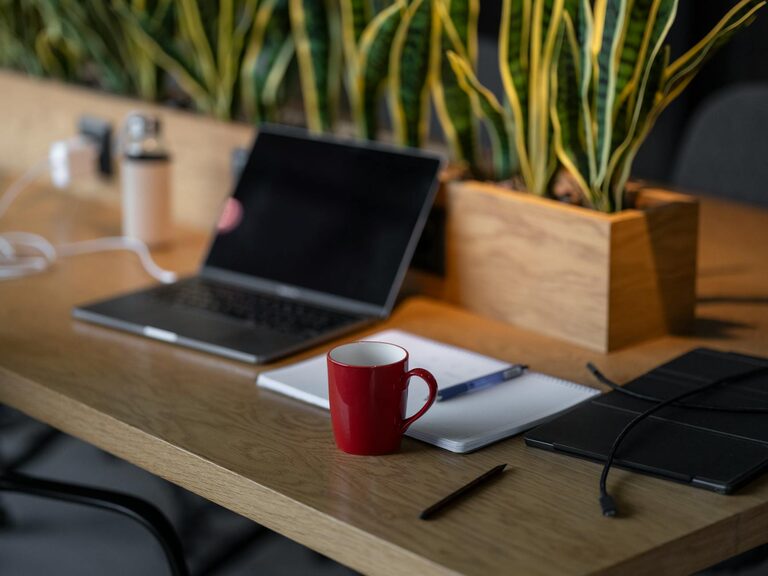
Creating a productive home workspace environment is essential for anyone who spends time working remotely or studying at home. A well-designed space can improve focus, reduce stress, and help maintain a healthy work-life balance. Whether you have a dedicated room or a small corner, these tips will help you set up a workspace that supports your productivity and well-being.
Choose the Right Location
Selecting the best spot in your home for a workspace is the first step in creating an environment that fosters productivity.
– Find a quiet area: Aim for a place with minimal distractions and noise. If possible, choose a room with a door you can close to separate work from personal life.
– Consider natural light: Position your desk near a window to benefit from natural daylight. Natural light can boost mood and help reduce eye strain.
– Evaluate space availability: Make sure the area has enough room for your computer, supplies, and any other tools you need to be comfortable and efficient.
Invest in Ergonomic Furniture
Comfort plays a major role in productivity and helps prevent physical strain during long work hours.
– Ergonomic chair: Choose a chair that supports your lower back and encourages good posture. Adjustable height and lumbar support are ideal.
– Desk height: Your desk should allow you to keep your arms at a 90-degree angle while typing. If you don’t have an adjustable desk, use a keyboard tray or monitor riser to achieve the right height.
– Foot support: Use a footrest if your feet don’t comfortably reach the floor to reduce pressure on your legs.
Organize Your Workspace
Clutter and disorganization can distract and reduce your efficiency.
– Declutter regularly: Keep only essential items on your desk. Store other materials in drawers, shelves, or organizers.
– Use storage solutions: Baskets, filing cabinets, and desk organizers help keep papers and supplies tidy.
– Cable management: Use clips, sleeves, or ties to keep cords and cables neat and out of the way.
Optimize Lighting
Proper lighting lessens eye fatigue and helps keep you alert throughout the day.
– Balance natural and artificial light: Use a combination of daylight and adjustable lamps. Avoid placing your screen directly in front of or behind a window to reduce glare.
– Task lighting: A desk lamp with adjustable brightness can help when working on detailed tasks.
– Light color temperature: Warmer lights are relaxing, while cooler lights improve alertness. Try to use daylight bulbs during work hours to stay focused.
Minimize Distractions
Distractions can interrupt your workflow and make it harder to finish tasks on time.
– Set boundaries: Inform family members or roommates of your work hours and request quiet during those times.
– Turn off notifications: Silence non-essential phone or computer alerts while working.
– Create a dedicated work mindset: Keep work-related items in your workspace only and avoid doing personal tasks there.
Personalize Your Space Thoughtfully
Adding personal touches can make your workspace more inviting, yet it’s important to keep it functional.
– Add plants: Small indoor plants improve air quality and create a calming atmosphere.
– Incorporate colors: Choose colors that stimulate focus and creativity, such as blues or greens, while keeping the space calm.
– Display inspiration: Motivational quotes, art, or photos can boost mood, but keep decorations minimal to avoid clutter.
Establish a Routine and Take Breaks
Your environment can support habits that keep productivity consistent.
– Set regular work hours: Define start and finish times to maintain a healthy schedule.
– Use a timer: Break your work into focused intervals, such as the Pomodoro technique (25 minutes work, 5 minutes rest).
– Take physical breaks: Stand, stretch, or walk briefly every hour to reduce fatigue.
Maintain Air Quality and Temperature
A comfortable climate contributes to mental clarity and energy.
– Ventilation: Keep windows open when possible for fresh air.
– Air purifiers: Consider adding one if your space is prone to dust or allergens.
– Temperature: Aim for a comfortable temperature, not too hot or cold, ideally between 68-72°F (20-22°C).
Use Technology to Your Advantage
Leverage available tools to enhance your workflow.
– Noise-cancelling headphones: Helpful in noisy environments to block distractions.
– Ergonomic accessories: External keyboards, mice, or tablet stands reduce strain.
– Efficient software: Keep your computer organized with helpful apps to manage tasks and communicate clearly.
—
Creating a productive home workspace is about more than just furniture—it involves your habits, environment, and mindset. By thoughtfully arranging your space and setting routines, you can turn any area into a place where you work comfortably and efficiently. With these tips, your home workspace can become a foundation for focus and success each day.