
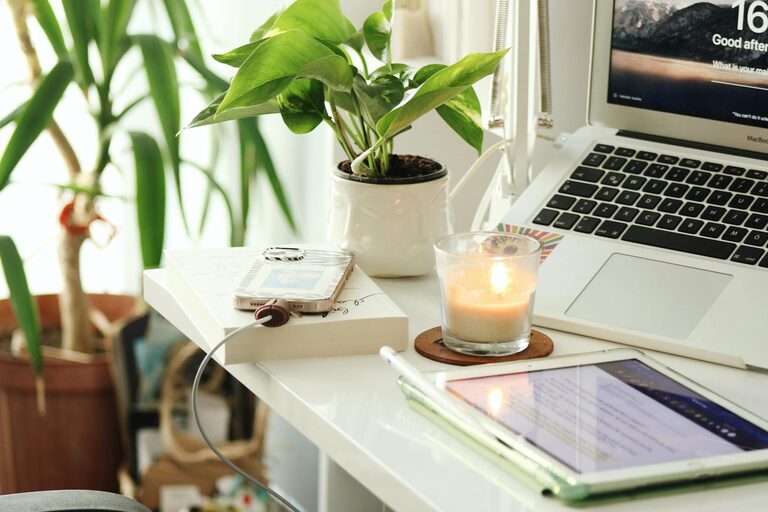
Creating a home office that is both cozy and productive can transform your work-from-home experience. With the right setup, you can stay focused, comfortable, and motivated throughout the day. Whether you have a dedicated room or just a small corner, these tips will help you design a workspace that supports your best work.
Choose the Right Location
Finding the ideal spot for your home office is the first step. Ideally, select a quiet area with minimal distractions. Natural light is a bonus, as it helps reduce eye strain and boosts mood.
– Avoid high-traffic areas: Rooms or spaces where family members frequently pass by can be distracting.
– Consider privacy: If privacy is important, pick a room with a door that can be closed.
– Maximize natural light: Position your desk near a window, but avoid glare on your computer screen.
Invest in a Comfortable Chair and Desk
Ergonomics play a critical role in staying comfortable during long work hours. A good chair and desk setup will prevent back and neck pain.
– Choose an adjustable chair: Look for one that supports your lower back and allows you to adjust height and tilt.
– Desk height matters: Your desk should allow your forearms to rest parallel to the floor when typing.
– Consider a standing desk: Alternating between sitting and standing can reduce fatigue.
Optimize Lighting
Proper lighting reduces eye strain and creates an inviting atmosphere.
– Use layered lighting: Combine overhead lights with task lamps to control brightness.
– Select warm light bulbs: Warm tones create a cozy feel, especially during evening hours.
– Avoid harsh glare: Position lights to minimize reflections on screens.
Personalize Your Space
Adding personal touches can make your office feel welcoming and inspire creativity.
– Add plants: Greenery improves air quality and adds a refreshing vibe.
– Use colors you love: Decorate with colors that calm or energize you.
– Incorporate artwork: Photos, prints, or inspirational quotes can make the space uniquely yours.
Keep It Organized
Clutter distracts and reduces efficiency. A well-organized space supports better focus.
– Use storage solutions: Shelves, drawers, and organizers keep supplies tidy.
– Declutter regularly: Clear your desk at the end of each day.
– Manage cables: Use clips or sleeves to keep cords neat.
Set Boundaries for Work and Relaxation
Maintaining a clear boundary between work and personal time is important when working from home.
– Separate your office from living spaces: Even a visual boundary like a room divider helps.
– Create a startup/shutdown routine: Turn on and off your computer and tidy your desk to signal work time starting and ending.
– Limit distractions: Use noise-cancelling headphones or play soft background music if it helps you focus.
Incorporate Technology Thoughtfully
Choose the right technology to support your work without overwhelming your space.
– Invest in a good monitor: A larger screen improves productivity, especially for multitasking.
– Use wireless accessories: Fewer cables keep your desk cleaner.
– Ensure strong internet: Reliable connectivity is crucial for smooth remote work.
Pay Attention to Comfort and Wellness
Small touches can enhance your well-being while working.
– Maintain good air circulation: Fresh air keeps you alert.
– Keep a water bottle nearby: Staying hydrated supports focus and energy.
– Take regular breaks: Follow the 20-20-20 rule—every 20 minutes, look 20 feet away for 20 seconds.
Final Thoughts
Designing a cozy and productive home office is about balancing comfort and function. By thoughtfully selecting your space, furniture, lighting, and decor, you create an environment that not only looks inviting but helps you stay focused and energized throughout your workday. Start with a few simple changes and adjust your setup as needed until you find what works best for you.