
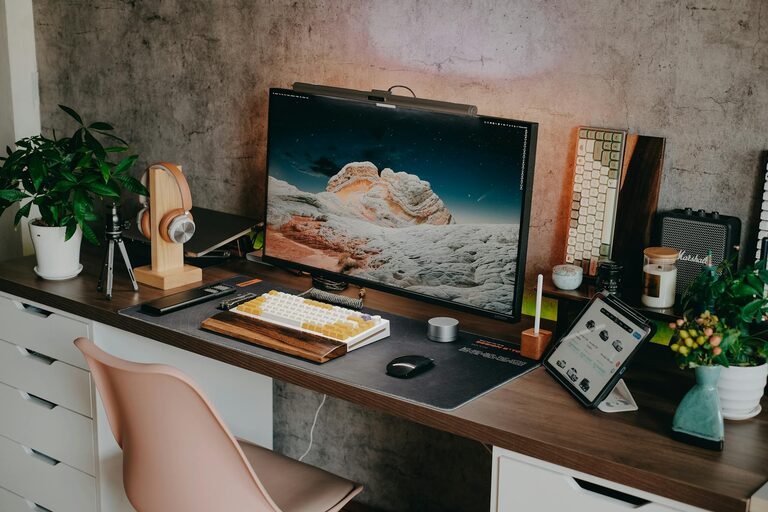
Creating an organized and inviting home workspace can make a big difference in how productive and focused you feel throughout the day. Whether you work from home full-time or occasionally need a dedicated spot, a tidy and well-arranged area helps reduce distractions, keeps you motivated, and saves time. Here are some simple tips to help you organize your home workspace for maximum productivity.
1. Choose the Right Location
Before organizing your workspace, start by selecting a spot that suits your work style and needs.
– Find natural light: Position your desk near a window when possible. Natural sunlight boosts mood and energy.
– Minimize distractions: Avoid busy areas or places with a lot of foot traffic.
– Consider comfort: Choose a quiet corner where you can focus and feel comfortable.
2. Declutter Your Desk
A cluttered desk can quickly become overwhelming. Clearing your workspace is the first step to improving productivity.
– Keep only essentials: Items you use daily—like your computer, notepad, and pens—should stay on your desk.
– Store away extras: Place less frequently used items in drawers or shelves.
– Use trays or containers: Organize small items such as paper clips, sticky notes, and chargers in containers to keep them tidy.
3. Use Functional Storage Solutions
Good storage helps reduce clutter and keeps your workspace neat.
– Shelving units and cabinets: Use shelves above or near your desk to keep books and files organized.
– Drawer organizers: Separate office supplies in drawers to make things easy to find.
– Filing systems: Create a simple filing system using labeled folders for documents and bills.
4. Keep Cables Under Control
Messy cords can be distracting and create a chaotic look.
– Use cable clips or ties: Bundle cables together and secure them behind or under your desk.
– Choose wireless devices: Opt for wireless keyboards, mice, and headphones when possible.
– Label cables: If you have many plugs and cords, labeling can help you quickly identify which cable belongs to what.
5. Personalize with Purpose
Adding personal touches can make your workspace more inviting—just don’t overdo it.
– Add plants: A small potted plant can improve air quality and add a refreshing vibe.
– Display motivational items: Pictures, quotes, or objects that inspire you can boost your mood.
– Limit decorations: Too many distractions can harm focus, so keep personalization minimal.
6. Set Up Ergonomic Essentials
Comfort is key for long hours at your desk.
– Choose a comfortable chair: Look for adjustable chairs that support good posture.
– Adjust monitor height: Position your screen at eye level to avoid neck strain.
– Keep essentials within reach: Arrange your mouse, keyboard, and other tools so that you don’t have to stretch to reach them.
7. Establish Routine Tidying Habits
Maintaining your organized space is easier with small daily habits.
– End-of-day cleanup: Spend a few minutes tidying your desk before finishing work.
– Weekly review: Once a week, review your storage and paperwork to keep clutter from building up.
– Digital organization: Don’t forget to organize your computer files and emails regularly.
8. Optimize Lighting
Good lighting can reduce eye strain and improve focus.
– Combine natural and artificial light: Use desk lamps with adjustable brightness for late hours.
– Choose warm or cool lights based on preference: Cooler light helps with focus; warm light feels more relaxing.
– Avoid glare: Position screens and lights to reduce reflections.
9. Create Zones for Different Tasks
If your workspace is large enough, consider defining separate zones.
– Work zone: Desk and computer for focused tasks.
– Reference zone: Shelving or boards for books, calendars, and notes.
– Break zone: A small area for stretching or relaxing can help you reset.
—
By following these simple tips, you can turn any space in your home into a productive and enjoyable workspace. An organized environment supports clear thinking, reduces stress, and helps you stay on top of your tasks. Take time to set up your workspace thoughtfully and commit to maintaining it regularly for the best results. Happy organizing!